Completely unable to use iOS in any capacity.
Steps to reproduce:
- Create new project,
- Choose “New game”
- Pick Windows and iOS
- touch nothing and open IDE
- Set iOS as startup
(Macbook already configured)
- Run
Scenario 1 Simulator:
Build completes. Exception is thrown app launches: "Unhandled Exception: System.IO.FileNotFoundException: "
Scenario 2 iPad:
1st run: “Could not register the assembly ‘OpenTK-1.0’: error MT4118: Cannot register two managed types (‘OpenTK.Platform.iPhoneOS.CADisplayLinkTimeSource, OpenTK-1.0’ and ‘OpenTK.Platform.iPhoneOS.CADisplayLinkTimeSource, OpenTK-1.1’) with the same native name (‘OpenTK_Platform_iPhoneOS_CADisplayLinkTimeSource’).”
Consecutive runs: “Internal error: the static registrar should not execute unless the linker also executed (or was disabled). A potential workaround is to pass ‘-f’ as an additional mtouch argument to force a full build. Please file a bug report with a test case (https://bugzilla.xamarin.com).”
if it’s of any relevance my visual studio version is
Visual Studio Community 2017 - 15.9.7
I humored the thought of running a vanilla Xamarin project and that ran just fine on the iPad.
I really hope there is a simple solution to this cause i can’t wait to ditch Unity3D
Simulator is not supported. You need a Mac.
Thanks for the timely response. Using the Simulator was merely for covering “what have i tried”.
Finally i did use a Mac, setup is High Sierra (10.13.6) on 192.168.0.165 paired with Visual Studio on my Windows machine, it’s already set up with “Remote Login” and xcode. (i actually rtfm)
I hooked up an ipad too, that would be an iPad Pro (mp6g2zp/a) running iOS 11.2.6
I connect the iPad on the usb (on mac) and it will show in Visual Studio. (exactly like Xamarin does it)
When i click run it will build for some time and finally turn up the errors described in “Scenario 2”
Unfortunately I have almost no experience with Mac or iOS. Which version (official, build from github source, version number) of Xenko are you using?
Looks like there is a dependency issue where two different versions of OpenTK are used.
and iOS is honestly a nightmare to deal with.
Even after you cough up the 5000$ down payment for license and mac computer you’d still need to fight with the PITA code signing. So i don’t blame the team for not putting up with it.
I don’t remember the version i was using, and i already got rid of it. Rolling with Xamarin and UrhoSharp altho they aren’t as rich as Xenko. Maybe next year.
Edit: I had done a fresh checkout, so whichever version was the newest at the time of posting.
Hello back again. Deeply regret having touched Xamarin. So i gave Xenko another shot before rolling with Unity3D.
I checked out the newest version. It was 3.1 beta something. I get the OpenTK error message as before
I checked out version 3.0.0.8 and i was actually able to deploy the game on the iPad. This is great news.
Now there is a little issue. There is an x2/x1 button in the corner of the screen, and the app is not in fullscreen. So i tried poking around in the “info.plist” and switched from iPhone/iPos to Universal. And i did get it to fullscreen and abolish that pesky button.
Next issue though
Aspect? I guess.
Resolution is also wrong? The image is huge, (as per the device rez) but if you look closely you can see it’s completely wrong.
this is 100% zoom by the way
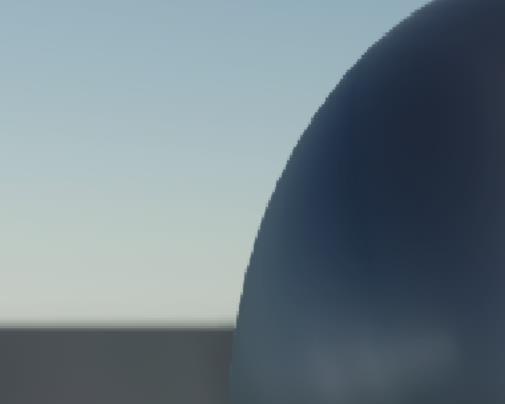
My guess it what is happening is the Width and Height being flipped in some parts. Does anyone know about this?
notes:
- Switching from Universal to iPad got same result
- Enabling orientations is not a good idea because upon rotating you get this exception: “Depth buffer is not the same size as the render target”. Whatever, locked landscape is fine.
- Lastly, the installer is awfully slow. No progress bar, it’s just spinning for an hour or more. We seriously need alternative ways to download the packages.