I was trying to run the samples, but seems most of them just output blue screen?
Like this
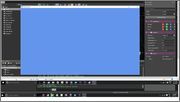
This is the sample from paradox engine itself.
Anyone having this issue as well?
9 posts, 3250 views, 2015-08-05 to 2015-08-12
I was trying to run the samples, but seems most of them just output blue screen?
Like this
This is the sample from paradox engine itself.
Anyone having this issue as well?
My guess is there is a renderer missing.
Could you tell us what you see if you do the following:
Hi, Ferb.
As other possibilities.
Try to select the other profile like “Direct3D 10.0 / OpenGL ES 3.0”.
I think the graphics profile of the samples are set to the “Direct3D 9.1 / OpenGL ES 2.0” by default. ([Project] - [Package properties])
I do not know details that are not run by it. However, as one of possibility, recent Windows is not installed the DirectX 9.0 runtime by default.
Hello,
I just gave a quick try and it seems to happens when default graphics profile is 9.1.
While we investigate, you can workaround it by changing the sample to use graphics profile 10+ (solution explorer => right click on project => package properties).
Sorry for the trouble!
Setting it to 10+ works.
Thanks.
I confirm blue screen with 9.1, and fixed using 10+
Out of curiosity, what is your GPU? Wondering if it’s a NVIDIA only problem, or AMD too? (REF D3D works)
Solved in Paradox 1.2.2 (also support Windows 10 Universal RTM)
Sorry. Late reply. My GPU is AMD. I got an AMD build.