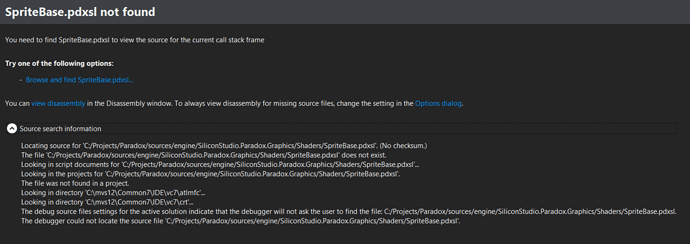
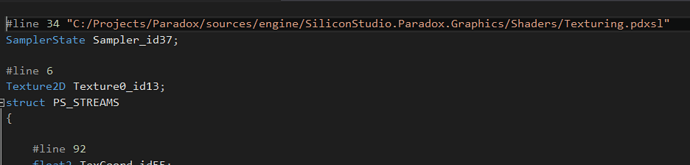
I’m trying to use the VS graphics debugger but cannot step into the shader code because the pdxsl files cannot be located. VS always wants to look in c:/projects/paradox/… which does not match the path I am using. This is clearly being caused by the #line directives. However, I have tried rebuilding from the sources and can’t seem to change those references. Any ideas? Please see screenshots below.
In the sources, setting EnablePreprocessorLine to false will remove the #line directives:
Thanks for the info. Ideally I would like to be refer to the original pdxsl files, however… any way to accomplish that?
@jmkinzer so you have the repository of Paradox cloned to C:/Projects/Paradox but VS is not able to load it? Could be related to the use of / instead of \ that VS doesn’t like… we will check
Ah no, I actually have Paradox cloned just to c:/Paradox. I couldn’t figure out where the path c:/Projects/Paradox came from… am I required to have it on that path?
No that’s not normal. We will check why there is such a behaviour.