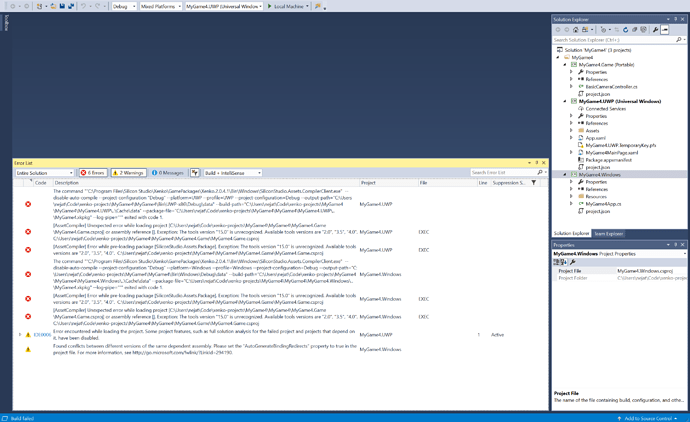
After struggling with creating a new game project and consequently receiving the 2.0.4.1 version to fix the problem, I can now create new projects and open them in VS (15.3.2), however they do not compile and I can not run UWP projects. Windows project runs correctly in the Xenko Studio, but UWP projects do not.
These are the errors I get when I try to build the solution …
Which version of Visual Studio are you using? I think UWP need Visual studio 2017 to be built.
I am using Visual Studio 2017 15.3.2.
That’s weird because since it is built from Visual Studio, MSBuild is already on the PATH. I tried it works fine for me.
Other questions:
- Did you open Visual Studio directly or from the Game Studio?
- Does building/running for Windows work for you in Visual Studio?
So cool, it looks like I’m set. I opened the project in the IDE from Xenko Studio and everything compiles and builds. That’s the first time I was able to start a UWP Xenko game.
However, I do have a few questions based on the following …
After I got VS to compile and run the game, I closed VS and reopened it and loaded the game project directly and it still worked. I shutdown Xenko, VS and the Xenko Router tray app, reopened VS only and reloaded the project again and everything continued to work. Next I restarted my computer and only opened VS, without starting Xenko Studio, and reloaded the project and I received the same compile errors as above.
Questions
- So what’s going on when I open the VS project from the game studio?
- Why does it only work that way?
- Why does it continue to work even if Xenko is shutdown and VS is reopened on its own?
- Additionally, what additional functionality do you gain with the Visual Studio plugin?
Thanks for help