Hi all,
@xen2 and I have been discussing on how to improve the API documentation for Xenko. Right now when you visit the generated API documentation, you get a massive list of classes, methods, members and many other objects. Currently it is bloated, cramped with information, lacks any good examples and is frightens new members.
We can have cool (video)tutorials and community projects all we want: it wont matter as much since the API documentation is so hard to get a decent look at. So before I make all kinds of game tutorials and “How to” tutorials (like unity does it), lets first try to improve the core API documentation.
Some ideas
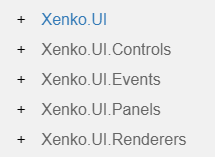
- Custom TOC: The current main list of items in the API reference is far too bloated. We could reduce this to custom sections, with each section a handwritten summary that could then list what it contains. That means we don’t need to have ‘Xenko’ name in front of every category. Right now it only clutters things up.
For instance the UI code, This can be reduced to a single UI category and have the subclasses/pages be referenced from there on out:
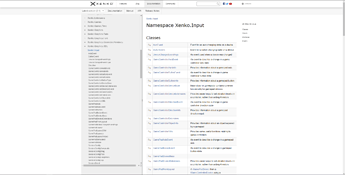
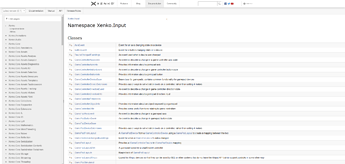
- Wide theme: The current api documentation template uses only a fraction of the screen space available. We could extend this to make full use of a users browser width. In my example with a 2k monitor: Basically half the screen is white. This also gives some breathing space
Current:
Vs wide theme (2 lines of css):
Lets have a look at a very common class Input
I know writing these kind of example are a lot of work, but I am willing to put some serious time on this. We don’t have to cover everything and we don’t have to have everything ready at the same time. We could gradually add new examples.
What are your thoughts/ideas?
I agree that Xenko API needs to be improved, but I always kind of thought of the API closer to MSDN. I think what comparison you made was closer to the Xenko Manual, not API.
I think from your Unity link the better comparison might be.
https://doc.xenko.com/latest/en/manual/input/keyboards.html
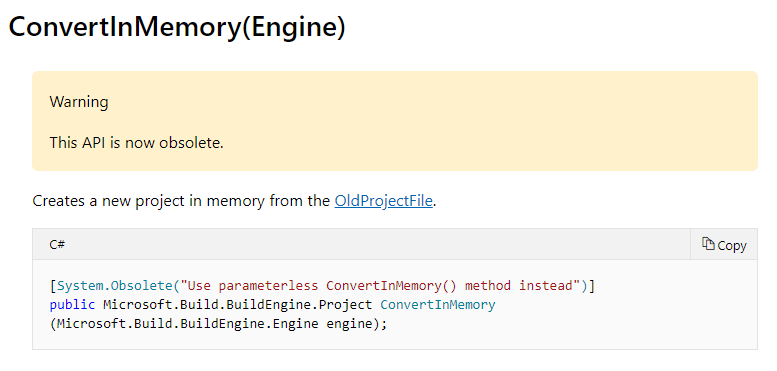
I feel like an API comparison would likely be similar to MSDN.
Maybe maintaining two sections is not the best route? As far as the rest (widescreen etc) I agree. As for the maintaining a project that uses the code for real so we’re always comparing the latest version of the engine I think that might be good.
Thanks for the input Jarret (pun intended)
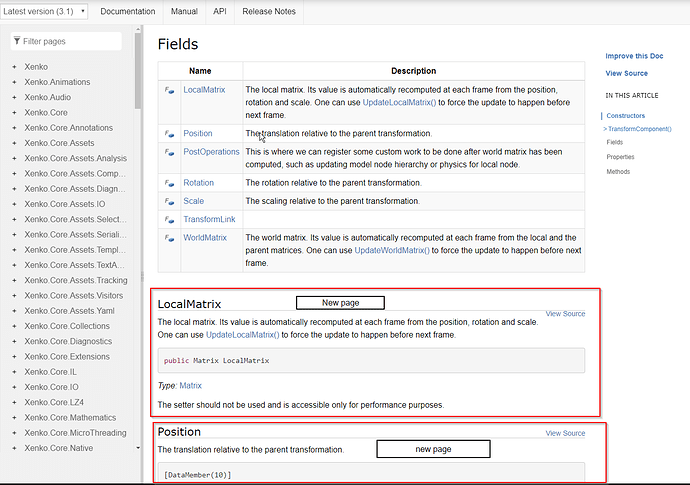
That manual page does indeed look better, but remember that this API section (Input) happens to have a Manual counterpart. There are plenty of API commands that do not have any related Manual pages. For instance TransformComponent. This is probably the most commonly used component, but here it does not have a Manual counterpart where some examples could reside. You still would want to have some nice code examples here.
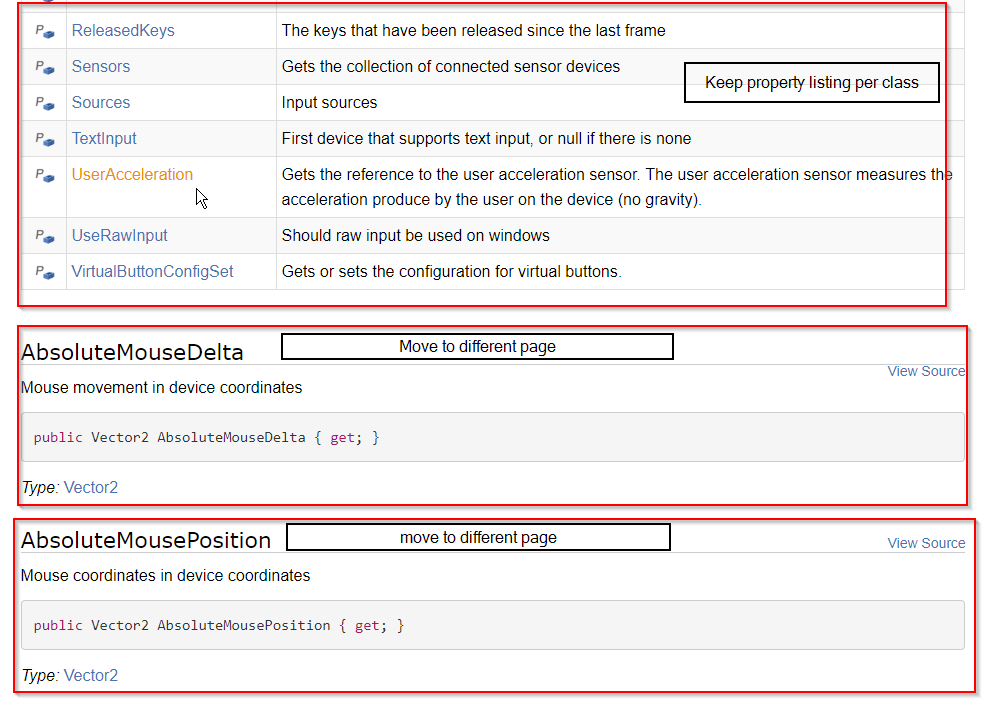
Regarding: “listing members per page” vs “each member on a different page”. I think we can take the best out of both worlds and keep the actual listing, but move the detailed explanantion to a different page per member. Like so:
I agree with that post, having dedicated pages for each member/method would be pretty good. That seems to be closer to how MSDN handles the class library information.
I also fully agree with more code samples would be helpful.
I assume you are refering to my last screenshot? I don’t want to remove the TOC. The screenshot is taken from a smaller section when you scroll down a page. It was just meant to indicate that you can still have an index explaining all members briefly (top part of the screenshot), but every detailed explanation to a separate part. This screenshot explains it better perhaps
Yes, not everything looks better using the full width. I will just experiment a bit and see how it goes.
It might be useful to add examples on usage. Microsoft does this in many of their API docs.
IMHO,
Hap
That is the main reason for improving the docs: adding example snippet that demonstrate the api commands.
I love the fact that I can search the Xenko project on GitHub and find the classes and examples. Writing examples for the entire API will be a time consuming project. It would be nice if the search feature in GitHub could be used to create examples in an automated way. Just a thought…
Hap
So searching for something, should generate an example for you on the fly? I don’t think that I can hook in to the Githubs search function that way.
Adding an example project that many small example scripts is the way to go. This adds a project to the main source of Xenko.
- The generated API listing can refer to those scripts or even a part of the script
- The scripts are versioned together with the source
- Projects are compiling and code is not out of date with Xenko
- You can search from github for these example too
As a newcomer trying to use the api docs, I think examples would be extremely helpful. As a first step, it would be really helpful to have some sort of getting started guide to at a minimum give you a general guideline to using the api commands. Having a working example application which has snippets pulled would be a really great goal IMHO.
The other thing that would be nice is if the Samples were in their own repository so they could be forked/downloaded alone.
The samples can’t be in their own repositories. They need to stay up to date with any change in the engine.
Publishing them as NuGet packages could be a solution on the other hand.
See:
I rely on Xen2 to make the decision on where to best place the source code. Whether this is a solution in the main source, whether it becomes a template or just a regular project, or just a part of the xenko-docs repo, it will be versioned alongside the xenko engine source itself.
I’m having trouble compiling the docs. I get the User Manual but the API only creates an index.html without a TOC.html… Any tips on generating the API docs? I’m using VS Community 2019… in the logs file I’m seeing a number of failures like…
[19-08-27 08:16:26.252]Warning:[ExtractMetadata](D:/Users/Hap/Documents/Visual Studio 2019/XenkoSource/xenko/sources/
assets/Xenko.Core.Assets/Xenko.Core.Assets.csproj)Workspace failed with: [Failure] Msbuild failed when processing the fi
le 'D:\Users\Hap\Documents\Visual Studio 2019\XenkoSource\xenko\sources\assets\Xenko.Core.Assets\Xenko.Core.Assets.cs
proj' with message: The SDK 'MSBuild.Sdk.Extras/2.0.24' specified could not be found.  D:\Users\Hap\Documents\Visual
Studio 2019\XenkoSource\xenko\sources\assets\Xenko.Core.Assets\Xenko.Core.Assets.csproj
I tried to open the sln for one of the Core projects and it would not allow me to install ‘MSBuild.Sdk.Extras/2.0.24’ in the Nuget PM…
Am I missing some step here?
Thanks, Hap
I had the same thing. However when I checked the MsBuild sdk it was there. When I reinstalled it, the bat file doesn’t produce any errors but the the API section remains empty.
Thats why I am finishing the tutorial section first.
Here is a little screenshot of the upcoming tutorial section: only a few more basics tutorials before this section is finished.(edited)
[image: not archived]
The code in this example is referenced to a tutorials project. This has the following advantages
- Each tutorial has its own scene which can be tried out by opening the Tutorials project/Template
- Versioned along with current Xenko API
- The code sample is reference to the actual example project. This means that you will always have working code instead of code pasted in to the documentation page itself
Here is a little video demonstrating the actual tutorial project which users can create by choosing the C# basics tutorial template from the Xenko launcher.
![[image: not archived]](https://cdn.discordapp.com/attachments/500295611581464576/619108146023104512/xenko_tutorial_section_-_keyboard_input.png)