How to rotate an entity by it own local axis?
I have a weird behavior when I do:
Entity.Transform.Rotation.Y += 0.01f;
The entity rotates AND scales.
Ok Rotation is Quaternion. But how to use this to rotate a entity relative by one axis without affacting the other axis the scale?
In another case I have a cylinder rotated in editor to X: 90, Y: 0, Z: 0. To use it as a wheel.
To set the wheel angle I have to rotate the Z axis without reset the X axis.
How to rotate enities by own local axis and / or global world axis?
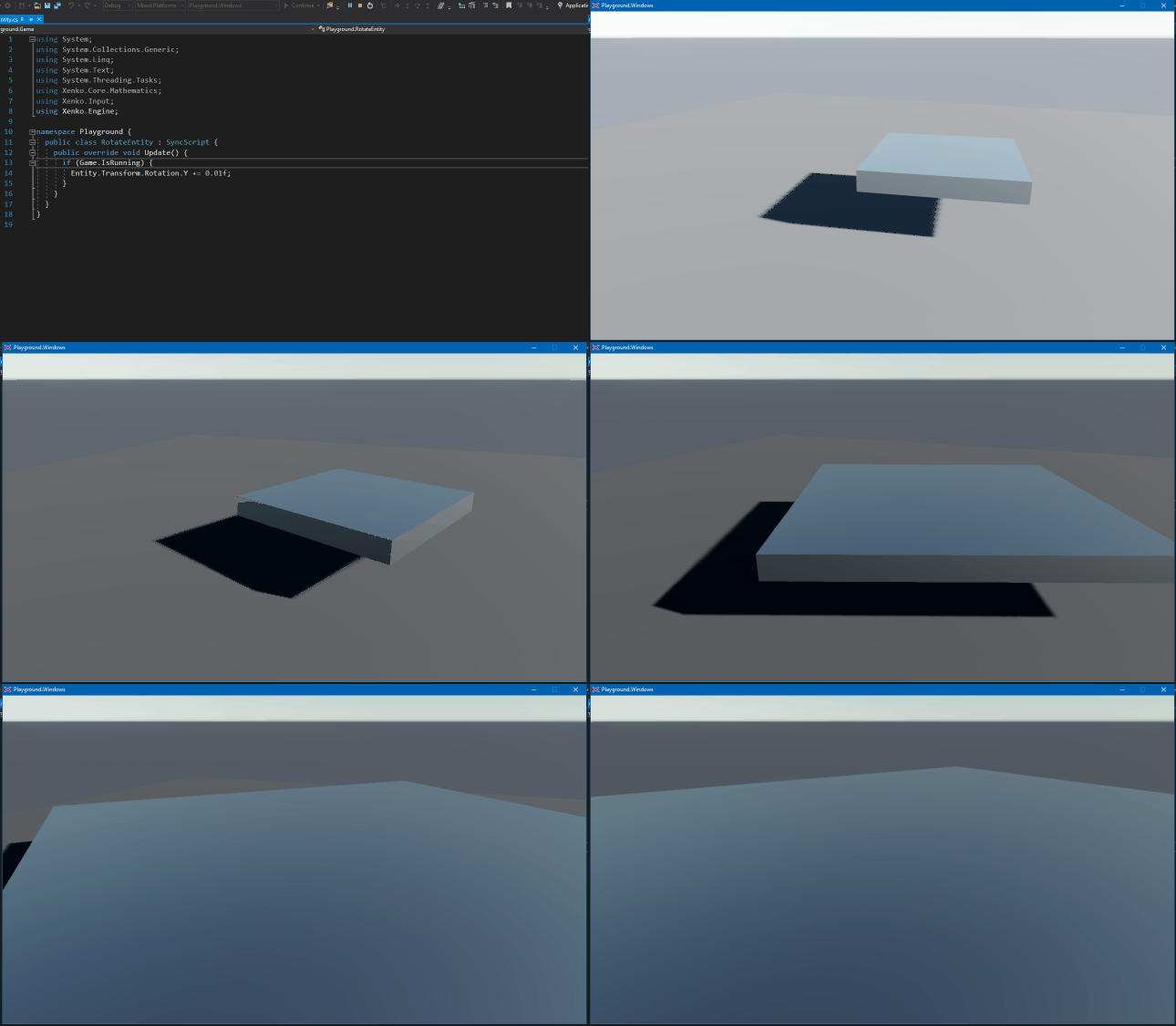
Rotation by world Y axis:
Entity.Transform.Rotation *= Quaternion.RotationY(0.01f);
For a local rotation, I don’t remember how (maths are not my strong suit).
Thanks, I currently use the following:
// Absolut angle.
Entity.Transform.Rotation = Quaternion.RotationY(-bodyAngle);

// Local relative rotation (set absolut wheel angle)
wheel.Transform.Rotation = Quaternion.RotationYawPitchRoll(-wheelAngle, wheel.Transform.RotationEulerXYZ.X, wheel.Transform.RotationEulerXYZ.Z)
Whatever … I’m sure there is another solution. It’s not the correct way.
This snippet above comes from my own car physics attemption.
But I’m currently on “real” physics with rigid body and torque.
Unfortunately there is no car setup template or tutorial. -> I’ll open a new thread for this. (rigid physics)