Hi guys just started to experiment with xenko and came across the AO post effect which i can not tweak to look nice. I read the documentation and played for quite a while with the settings but it always comes out very patchy and rough. I am aware that the look will improve once proper materials are apllied but still… When moving with the camera there is also awful blocky patchy rolling of the effect across the geometry which bugs me most. I wonder if thats the limits of the realtime SSAO in xenko or me missing any settings? Or am i just expecting too much?
AO lowres and patchy
9 posts, 2535 views, 2018-12-08 to 2018-12-11
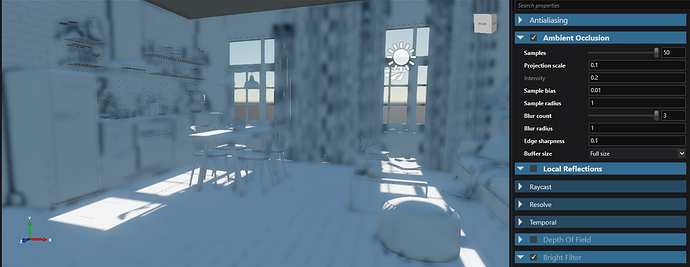
hi @tgd i also noticed that the depth buffer seems to have incorrect size when the game runs inside game studio. did you try to launch the game to see whether it looks correct then?
hei tebjan thats what i hoped for first but unfortunately it is the same when i actually start the game 
sounds like it’s time to get HBAO+ working with xenko…
Sounds like: Uh we have a flat tire, time to buy a new car 
In the meantime, should i post an issue on the xenko github?
Wouldn´t a wrong depth buffer size produce quite more problems anyway, not just ugly AO?
If it is just this, is there no way to set the depth buffer size by script or something?
If you have a minimal concrete reproducible example, then yes by all means, open an issue on github.
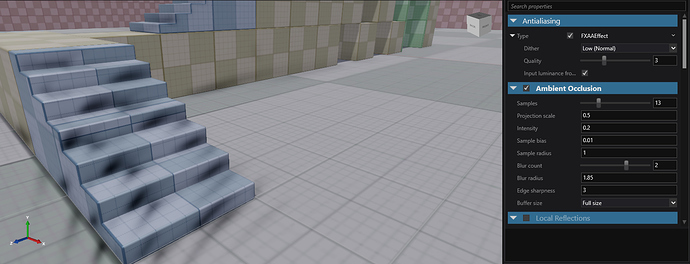
Ok this seems to be on my system only A friend just tried on another pc and everything looks fine. Sorry for the fuss. Is there anything i can investigate to fix this? Windows 10, GTX 1050
It seems to be a problem with intel integrated graphics. Just followed a hint from @xen2 and it turns out xenko was always starting with the intel graphics and not the nvidia gpu. Just changed the preference in the nvidia settings making xenko start with the big gpu and now the AO looks fine.