So as the amount of usage samples of various things you might want to do in your Xenko projects was a bit anemic at the moment, I decided to put together a small repository of my own intended to collect self contained examples of using Xenko to do various things (like procedurally generate a mesh, or use the procedural mesh generation to create a sort of pseudo-instancing to avoid gratuitous amounts of drawcalls by just sticking it all in a big vertex buffer and the like)
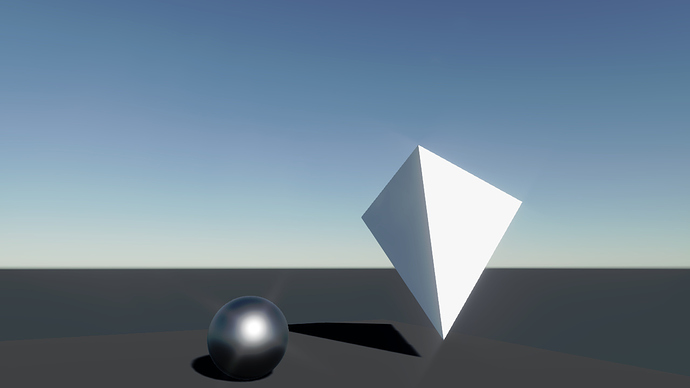
Currently there’s just an example of how to use only a vertex buffer and an array of vertices to draw a tetrahedron with a ModelComponent. It’s not using an index buffer since I figured i might as well make the first sample as simple as possible, while still not being just a triangle.
If anyone has any specific requests that you want turned into a self contained example, I’m open to any suggestions as it’ll be of benefit to us all, and I’ve come to understand people new to Xenko find it quite obtuse to get started (especially if without much previous experience with other engines).
Some of this might be interesting to incorporate into the docs later if distilled a bit, but for now I figured this was a faster way to do it.
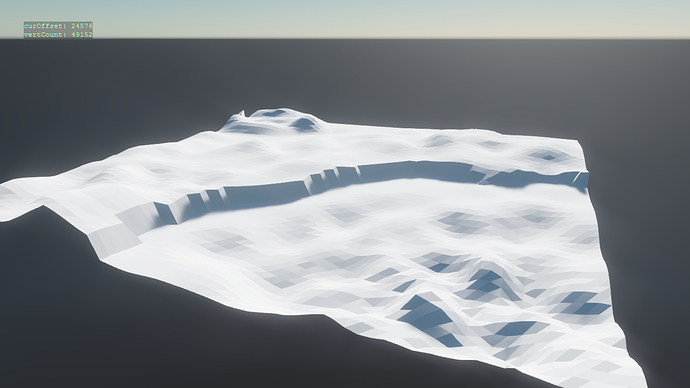
Now also added a small terrain modification sample, generating the plane mesh for the terrain as a subdivided plane (with configurable size and number of subdivisions)
(and collision, assuming I can make the heightfield collider shape to stop fighting me)
Yes, I’m sorry, I’d compiled master locally and since that automatically then shows up in the launcher somehow, I’d figured beta02 was also now the latest one, but that’s clearly not the case
I’ll make it based on beta01-0441 as it was previously! (if I can, I’m not 100% downgrading is all that easy, but I’ll find out shortly, hopefully it’s easy for beta versions)
And I have changed to beta01-0441, after compiling, an error raise
InvalidOperationException: Could not load native library libcore.dll from path [D:\XenkoByteSized-master\XenkoByteSized\Bin\Windows\Debug\x64\libcore.dll] using CPU architecture x64.
I do not agree!
Of course, the terrain can be done in a 3D editor, no one argues. Be it “Maya”, “Blender3D”, “3D-Max”, “SketchUp” … But what if this terrain assumes 100km. - how to be?
I imagine little such “creativity”.
Therefore, the editor of the terrain here appears as the only salvation.
P.S.
In Russia, there is such a saying … - “Bath - across changing room road” - I see it that way. )
The video above is an example that shows the opportunity itself.
For larger terranes, can (and should) use sections. In this case, many problems are solved. For example, LOD, which eventually removes a sectio from processing.
Unexpected argument started in here, what is posted here is not intended as anything final, it is merely personal experimentation I am posting so that others may have use of it, if someone wants to be inspired and devise something like an in-editor terrain editor of course I wouldn’t stop you
(but really this is intended mostly as inspiration and aid more than anything else)
People like @Tom are already working on more “serious” attempts at a terrain system anyways, expect in here mostly interesting toys
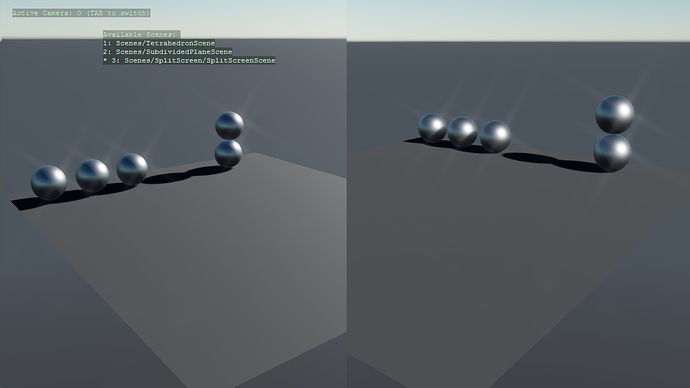
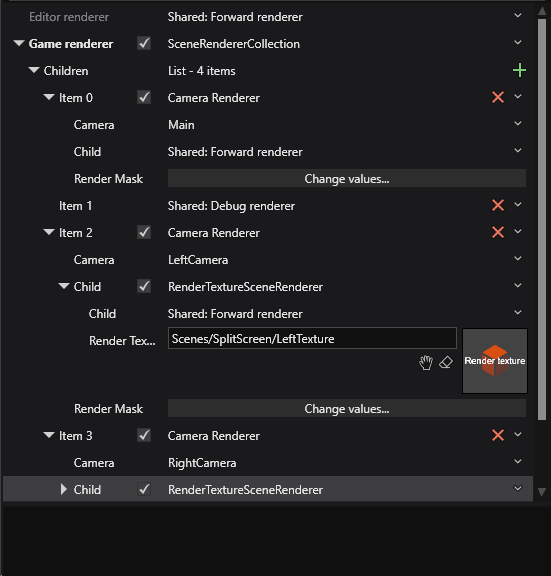
I’m back again, this time I’ve drawn up a small split-screen sample (part of the same repo still) which uses the GraphicsCompositor and Render Targets and 2 cameras (each rendering left and right respectively) and the main camera rendering only then the sprites that are used to display the left/right textures.
Currently uses the same BasicCameraController as the rest to fly around with, you can switch between left and right view camera enabled with TAB, some overview/explanation of the setup is included in the README once again.
The compositor at a glance
So putting it briefly, thanks to the words of @tonfilm in discord, the setup is as follows currently:
There is one orthographic Camera and an associated CameraRenderer which renders only the sprites that hold the render textures, it renders these with the basic forward renderer without any post-fx.
The render textures themselves are rendered with the normal render path with post-fx and it renders everything except the sprites (which are masked out using a render group for them specifically) with RenderTextureSceneRenderer, one for left and one for the right side.
This one is harder to just link to a single script for, so if you want to explore it, read the README and look at the assembled scene and the graphics compositor too, the xenko docs page previously mentioned on render targets was my personal starting point and is also quite helpful.
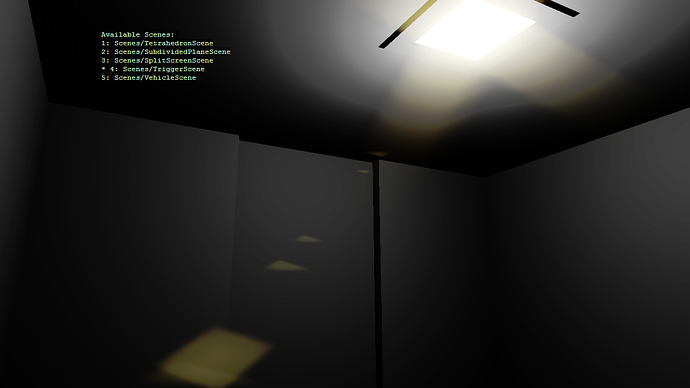
To see this one and how it’s put together, it’s easiest to open the project and look at the scene, it also includes a simple setup of Xenko’s own PlayerController with a capsule collider for the player so you can actually walk around in the scene.
For the actual door collider it uses two separate static colliders, one for the trigger volume, one for the actual blocking collider of the door.
Vehicle Scene
The second one being a scene with a (small) example of using physics constraints, in this case to create a vehicle (basically a solid block) that rolls on 4 cylinders:
The constraint stuff especially can be a bit confusing to work out how the reference frames work and some previous posts like: Constraint limit... In world space? helped me work it out personally, I encourage experimenting with the constraints (changing angular limits and such) to see how things behave!
Misc
Note that currently if you switch to the VehicleScene and back to any other scene, then back to VehicleScene again, it may crash (pending figuring out why this occurs).
Fixed it, just had to properly get rid of the constraints from the simulation.
Haven’t yet looked into new examples, but I am also following the tutorial code from here https://doc.xenko.com/latest/en/manual/scripts/create-a-model-from-code.html . I see various way to put a mesh into a scene, but it seems they are not compatible with each other, such as using GeometricMeshData or by a Mesh, my concern is about index, since I don’t find a way in Mesh class use a proper vertex index with the vertex buffer, while with GeometricMeshData it’s easy, but they don’t work with each other…
The main thing to see here is that all of these end up with a MeshDraw in the bottom before anything ends up in a Model (where MeshDraw holds the associated vertex + potential index buffer objects).
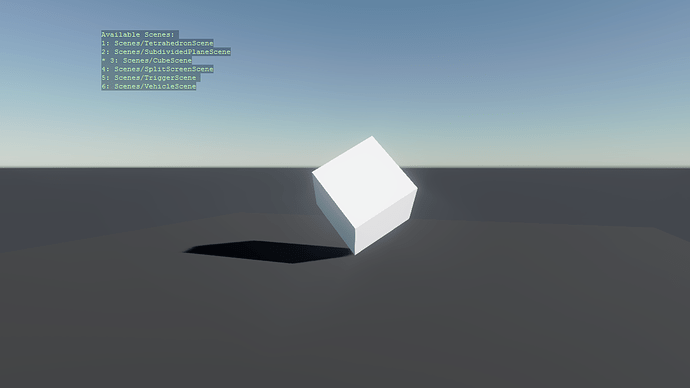
I can put up a corresponding example of something like drawing a cube with a vertex + index buffer that matches the tetrahedron example if that helps? (similar in all ways except now also employing an index buffer).
If you have GeometricMeshData then you can turn that into other pieces:
var data = GetYourGeometricMeshData();
var primitive = new GeometricPrimitive(graphicsDevice, data);
var meshDraw = primitive.ToMeshDraw();
var mesh = new Mesh(meshDraw, new ParameterCollection());
The method ToMeshDraw() on the geometric primitive is an extension method available with using Xenko.Extensions;. I really think it should be part of the class or be in the same namespace as the geometric primitives, it’s very hand and provides a place to look on how to build your own MeshDraw if you need to (such as how @profan does in his subdivided mesh example).
There’s now a sample with both vertex + index buffer (and I may well convert my terrain sample later to use it also as it would probably save me quite a bit of data) but still
(also got rid of some superfluous calls to SetData on the buffers created in the samples, as I realised the Buffer.Vertex.New, Buffer.Index.New etc upload the data for the resource in the process of creating the buffers on device as well … just something you may want to look at so you’re not doing it twice if you’ve looked at the previous samples)
No, I’m thinking spawning. I’ve been thinking about a collider in which only a specific character can enter, it will disallow other characters.
In Xenko I use collision groups for a lot of things, I haven’t tried creating a unique collision group per character, but that would do the trick. In other words, an outer collider would only allow a specific character or physics object to enter.
This is an issue in multiplayer games when spawning units into the world space, you can either check for character proximity to a spawn before spawning, or have a custom spawn-in location per character, this prevents spawning on top of or inside of other characters.
I haven’t looked into with Xenko yet… there may be a better way to do it than collision groups.
You could have a set of possible spawnpoints, each with an associated collider for the “safe” area, so when something spawns there, you just flag the spawn as “occupied” until the given character leaves the trigger?
That way when you cycle through all possible spawn positions available you just check the occupancy flag and pick the first non-occupied one (maybe combining with some other metric if you need that?) , or thats how I would approach it if I’m understanding your problem correctly
Alternatively, there’s probably a way to do a shape cast into the physics space before actually spawning something in right?
So you could potentially just try a set of random locations around a spawn point too until one works and doesn’t collide with something in the space
Hmm. I’m thinking a two fold approach would work best for the desired goal:
Do a raycast or shape cast into the physics space, check for collisions and identify if the location is available.
Slide in a spawn capsule or some other physics shape/object that will gently push any other colliders away before spawn. This would be done as secondary measure. Spawning directly into the world space using Character.Teleport() or turning on a character collider can have a drastic effect on other colliders.
On a similar note though, can you create a collider inside of another collider? Can the first collider then exit the second collider?
I have seen similar behavior with projectiles spawning inside of character colliders.
I will create an entity with a sphere collider on demand, add it to the scene, check for collisions of certain types and then remove and dispose… A poor man’s shape cast. Thanks for tossing ideas around with me.
So I’m back now with yet another sample, slightly longer in the oven this time.
For a while there’d been a little misc discussion on (… somewhat) efficiently rendering a ton of little bits of geometry, but not much (or almost nothing) out there on how to actually do that, so I decided to make a sample that covers doing this with the help of streamout/transform feedback and the aid of our good @tonfilm who… kindly kept providing me VL patches and shaders of similar attempts or previous geometry shaders.
So without much further ado, here it is rendering 4096 cubes.
(the only data technically unique to each instance is the transform here)
The README expands on it a little bit more and it probably deserves a slightly more thorough explanation, but I will return and refine this, for now you can have a look if you’re interested!
Miscellaneous: This demo only really covers simple meshes, no tangents and doesn’t consider materials, but one could absolutely build on this if desired (and likely there will be something semi-official soon that fills a similar usecase).
(and some changes will likely be made as long as this sample is up to improve it as well…)
It would be great to see a sample of creating some dynamic 2d UI from code.
For example, something that shows a dynamic list of save-games (with thumbnails) from files in a directory. (for the sample, it could just have some images in a directory and show those as thumbnails)
And also rending the 2d UI to an overlay so it can be 3d rendered on a polygon.
What we would love to see is a sample geometry shader that runs cross-platform (so would need both HLSL and GLSL shaders beneath the covers). A shader that creates new geometry and one that simply modifies the positions of existing vertices.


 (similar in all ways except now also employing an index buffer).